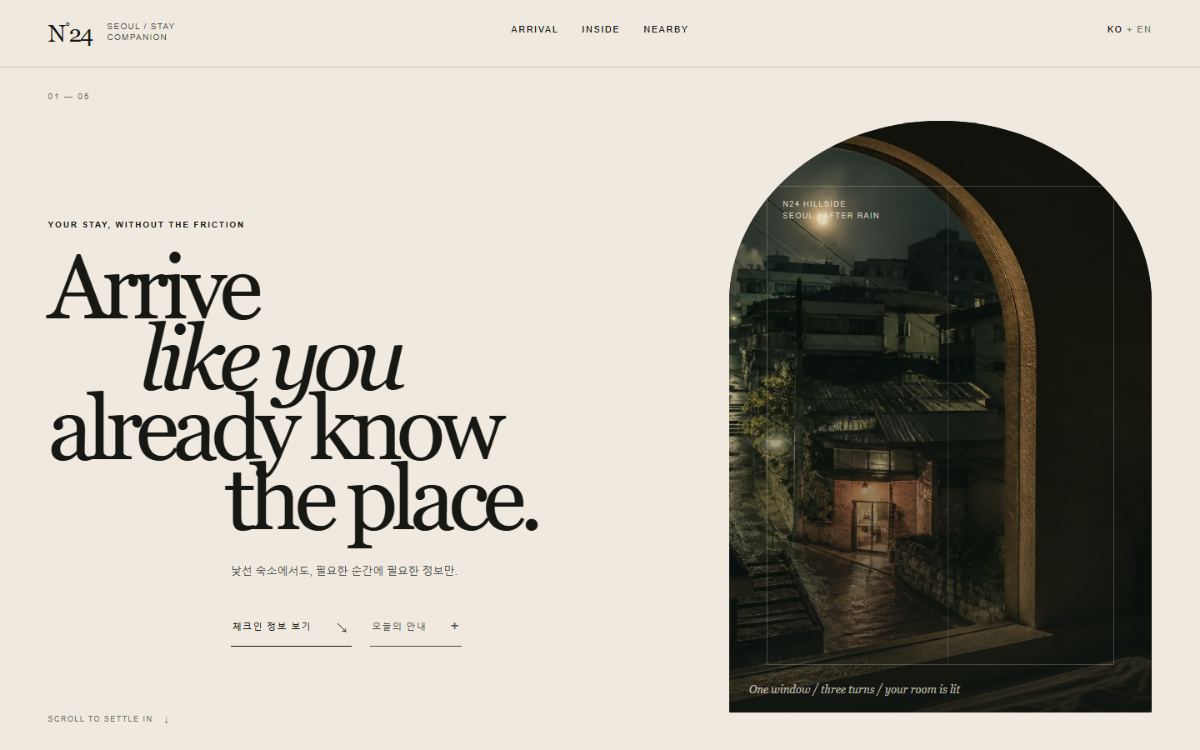
 Open experiment ↗
CASE 01
Nocturne Concierge
Editorial hospitality · atmospheric restraint · intent-led motion
- Internal score
- 92.8
- Field evidence
- Pending
 WEB DESIGN OS / 0.2
For non-designers who vibe-code the front endOpen source / MIT
Your agent can generate UI. The hard part is knowing why it feels wrong—and how to fix it. This operating system routes the work through art direction, implementation, independent critique, accessibility, and rendered browser QA.
npx --yes github:Lrinvl1203/world-class-web-design-os install --agent codex
Critical content survives without motion. Every flourish needs a communication job.
01 / First successful use
No design vocabulary is required. Install the system, refresh skill discovery, and describe the website you need in plain language.
npx --yes github:Lrinvl1203/world-class-web-design-os install --agent codex
Paste this into a terminal inside or outside your project. It does not modify the website yet.
web-design-os doctor --agent codex
The doctor should report 17/17 READY. A new session lets Codex discover the installed skills.
Use $web-design-orchestrator to redesign and implement this website for [audience], then verify it on mobile and desktop.
02 / See it work
The same operating system produced five deliberately different website archetypes. The demo proves operation and range—not user validation or award status.
Compare your normal workflow with Web Design OS using the same brief, assets, agent, model, and time budget. Publish the raw evidence—even when the OS loses.
Run the Same Brief Challenge ↗03 / Rendered proof
Five deliberately different archetypes exercise the same system. Scores are internal Design Quality evaluations, not field validation.
Open experiment ↗
Editorial hospitality · atmospheric restraint · intent-led motion
 Open experiment ↗
Industrial commerce · dense utility · responsive recomposition
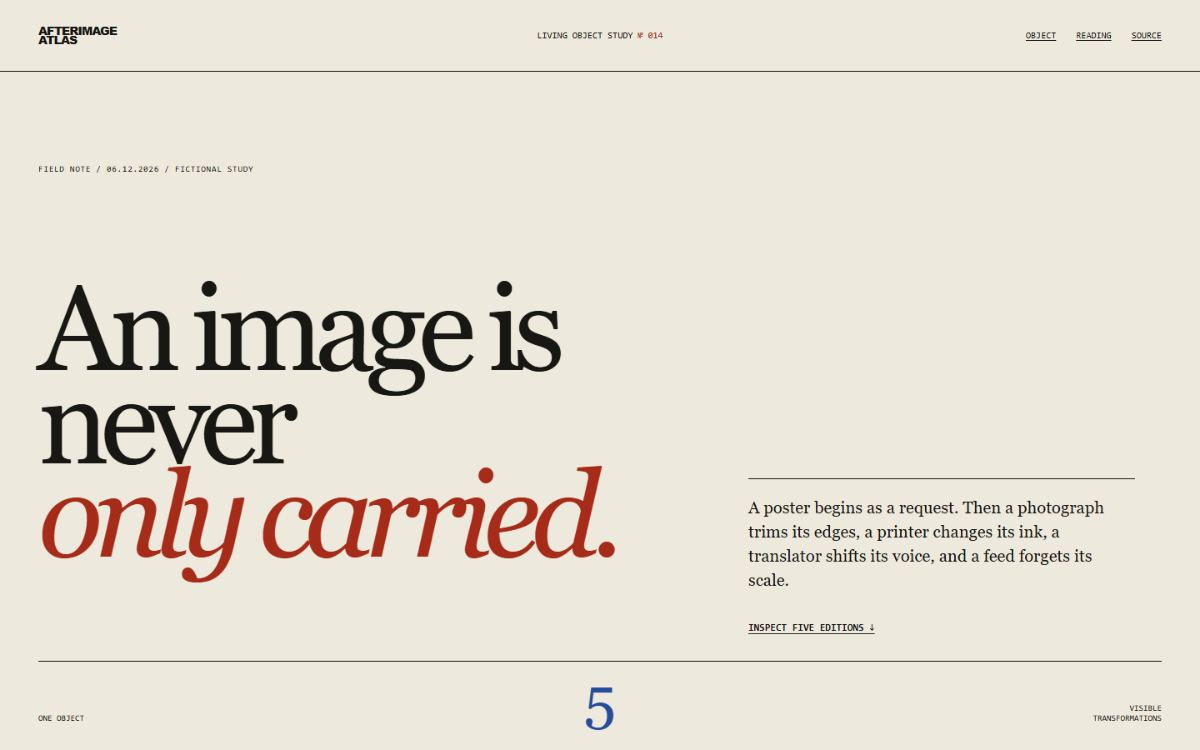 Open experiment →
Editorial culture · object-led inspection · five-state narrative
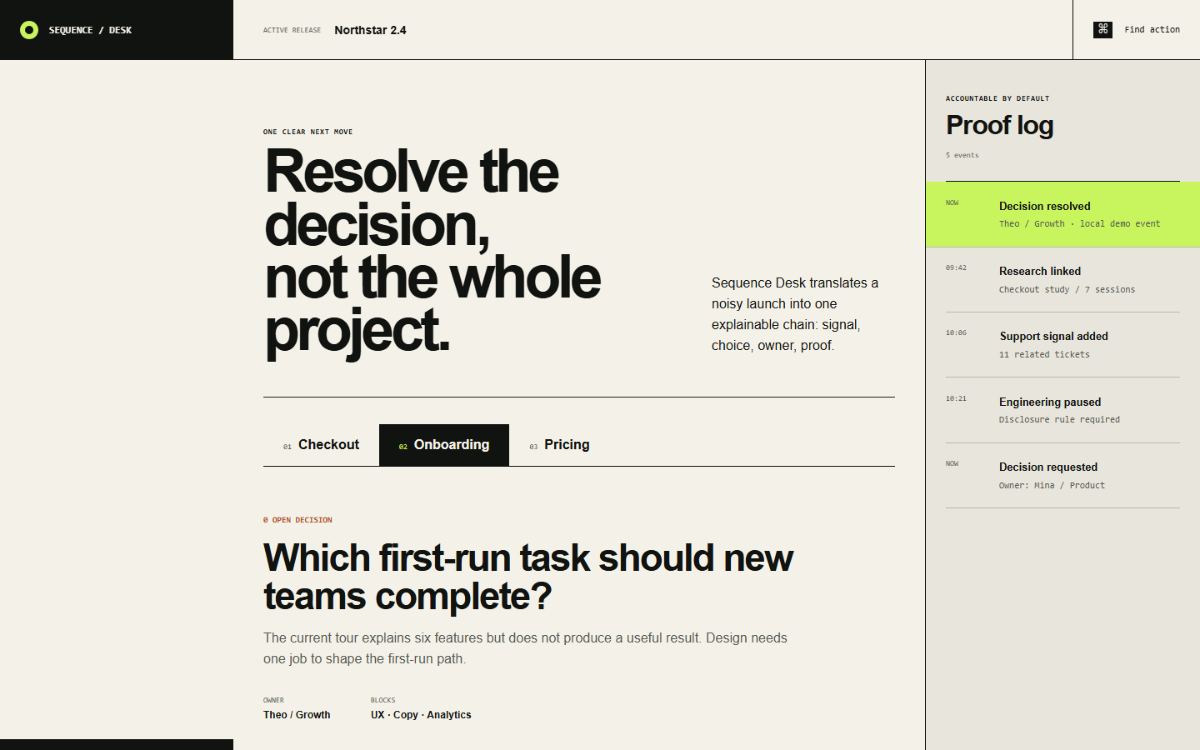 Open experiment →
Product UI · component states · accountable launch workflow
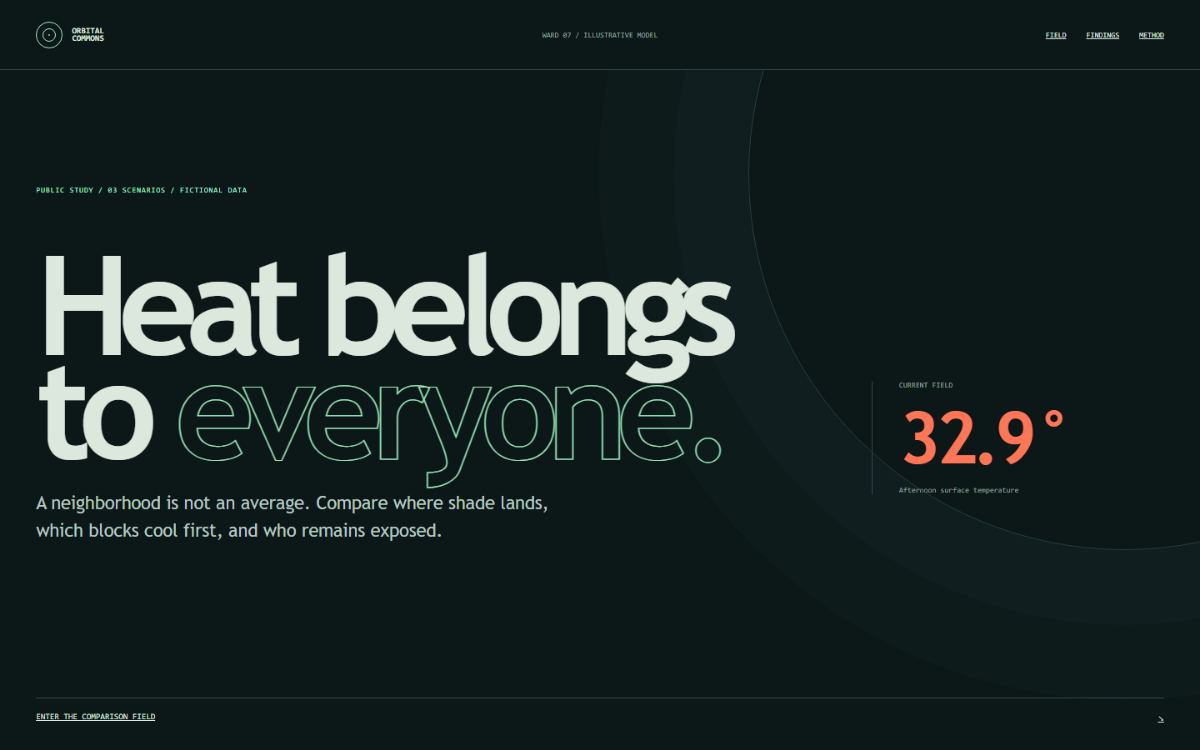 Open experiment →
Civic data · purposeful pseudo-3D · semantic HTML fallback
04 / Operating method
The system activates only the skills needed for the job, keeps implementation and critique separate, then records reusable defects through a controlled proposal loop.
DESIGN DISCOVERY
Define the audience, primary action, content hierarchy, constraints, and questions that must be true before visual work begins.
05 / The difference
Typical prompt pack
World-Class Web Design OS
06 / Install details
After installation, a plain-language website request automatically starts with the orchestrator.
npx --yes github:Lrinvl1203/world-class-web-design-os install --agent codex“이 제품의 웹사이트를 디자인하고 구현해줘.”
The skill system is installed to your global Codex skills directory. Add --overwrite when updating an existing installation.
07 / Trust model
Semantic structure, keyboard reachability, visible focus, target sizing, reduced motion, and axe checks are release gates.
Mobile is assigned a new hierarchy and interaction model instead of receiving a mechanical desktop stack.
Daily sources create dated proposals. Core skills change only after evidence, regression checks, and human adoption.
Internal scores, automated checks, and field evidence are separate signals. One never impersonates another.
08 / Before you install
The OS is strongest as a governed workflow. It does not replace product judgment, user research, or a designer with real domain context.
No. It can choose native HTML, custom components, registries, motion, or purposeful 3D after the user job and art direction are clear. The reusable product is the decision and verification workflow.
No universal claim is made. Its narrower advantage is connecting discovery, art direction, implementation, independent critique, responsive work, accessibility, browser QA, and controlled learning in one route.
No. Trusted feeds and authorized APIs produce review artifacts. A recurring principle still needs three independent sources, counterexamples, regression scenarios, and an intentional reviewed change.
Agent skill discovery happens when the session starts. Opening a fresh session prevents an old capability list from making the new skills appear missing.
No. CSS or no motion is often the correct choice. 3D, WebGL, and heavier animation engines are used only when they communicate the product or brand idea and survive accessibility and performance review.
OPEN SOURCE / MIT